Plugin To Register AWS CloudWatch Logs Subscription Filter
1.1 Plugin To Register AWS CloudWatch Logs Subscription Filter
Info
note
Serverless plugin to register AWS CloudWatch Logs subscription filter.
serverless-plugin-subscription-filter
Installation
To install the plugin, run the following command:
npm install --save-dev serverless-plugin-subscription-filter
Next, add the plugin to your serverless.yml:
plugins:
  - serverless-plugin-subscription-filter
Usage
Here’s an example of how to use the plugin in your serverless.yml file:
functions:
  monitoring:
    handler: handler.ops_1308
    layers:
      - "${cf:create-lambda-layers-ops.BtinDashpython311DashrequestsLambdaLayerQualifiedArn}"
      - "${cf:create-lambda-layers-ops.BtinDashpython311DashmarshmallowLambdaLayerQualifiedArn}"
    timeout: 60
    description: OPS-1308
    tags:
      monitoring: 'true'
    events:
      - subscriptionFilter:
          stage: ops
          logGroupName: cloudtrail
          filterPattern: '{ ($.errorCode = "*UnauthorizedOperation") || ($.errorCode = "AccessDenied*") }'
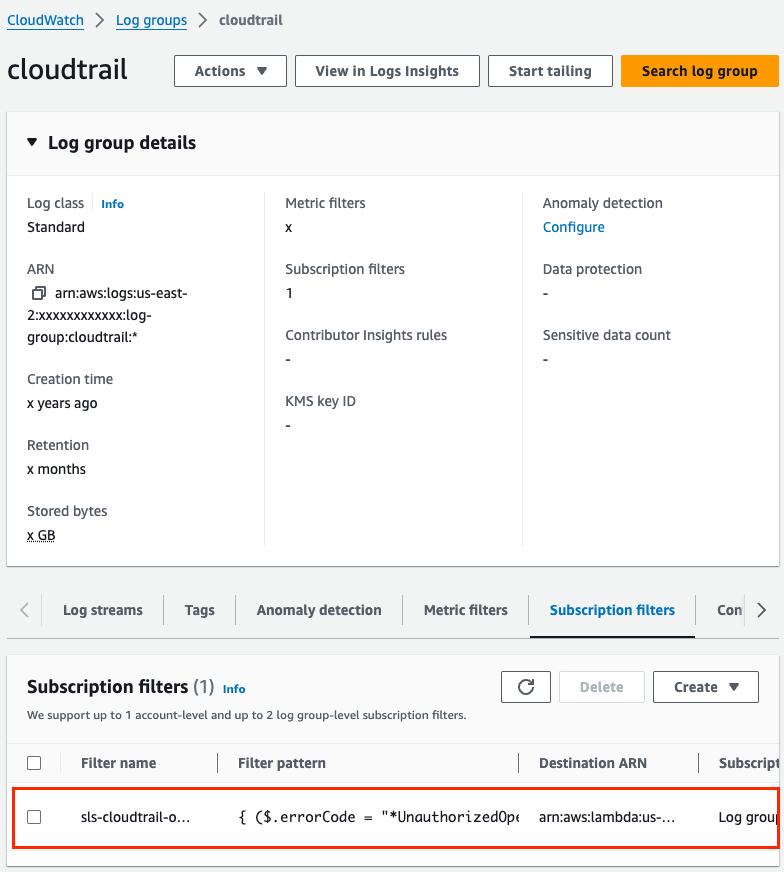
Update Plugin
warning
A new update increases the filter subscription support with a new limit. For more information, check out this pull request https://github.com/tsub/serverless-plugin-subscription-filter/pull/31.
Reference
For more details, visit the Serverless Plugin Documentation.